Setting up desktops
A desktop is an isolated workspace where you can store your sessions, custom presets, proxy lists, tags, and statuses. It's a convenient way to separate different projects, clients, or areas of work.
Each workspace is completely isolated from the others. This helps you avoid confusion and organize your work.
Where is the workspace displayed?
The name of the current workspace is always visible in the session manager. This allows you to quickly understand which space you are in.

How to create a new desktop:
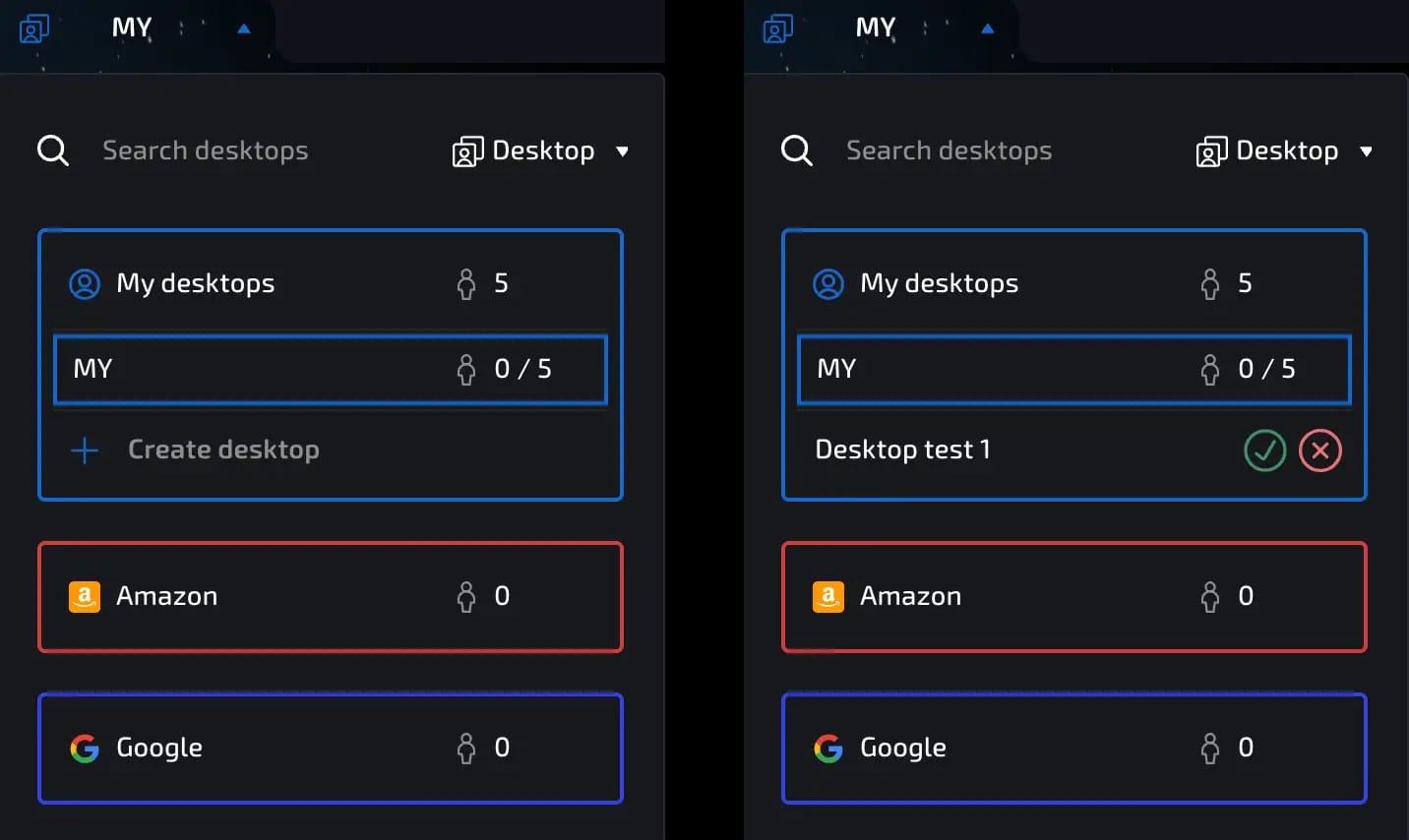
In the upper left corner, click on “Desktops.”
Go to the “My Desktops” section.
Click Create Desktop.
Enter the name of the new desktop.
Click the green check mark to confirm.
invisible text for space
Now the desktop will be created and available for use. You can create an unlimited number of desktops.
It is also possible to create a new desktop when adding a new team member.
How to delete a desktop:
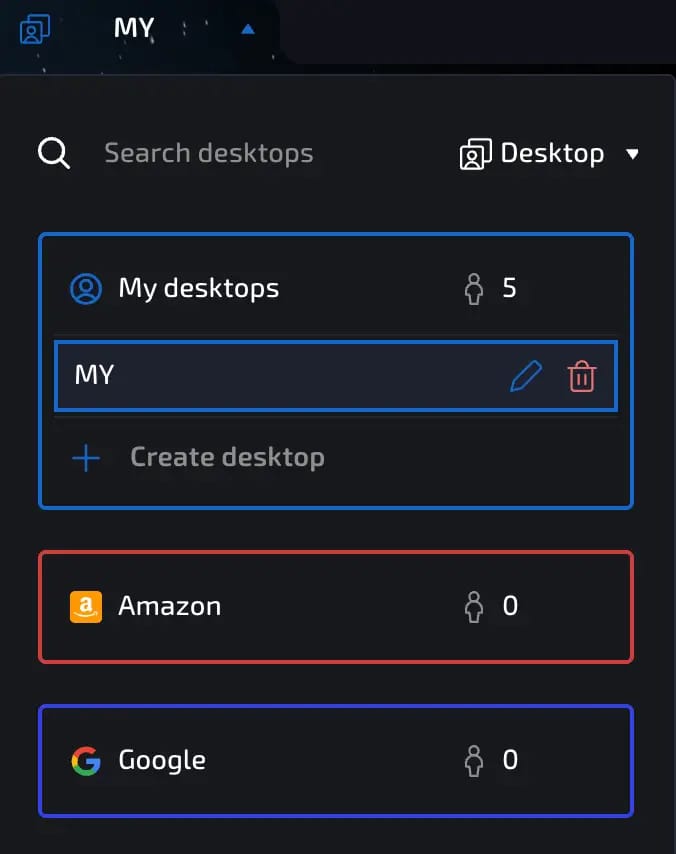
Go to “My Desktops.”
Hover your cursor over the desired desktop.
Click on the trash can icon to delete.
Why use desktops:
Separation by project
Isolation by client
Convenience when working in a team
Reduced risk of mixing up sessions
Previous page
Next page