
Perfect Order on Your Screen with the Snap Feature
When working with accounts in bulk, efficiency and speed come to the forefront. We have often heard from you about one annoying routine: when launching multiple sessions, the screen instantly turns into a chaotic pile of windows. They overlap each other, and you have to spend precious minutes manually resizing and arranging them across the screen.
Minutes were spent on routine instead of real tasks. We decided to do things differently.
Meet Snap — an intelligent system for automatic browser window layout. Launch sessions, and Linken Sphere will arrange them on the screen automatically.
How Snap works
Everything works intuitively. Launch as many sessions as you want — Snap will calculate the layout itself and arrange the windows without overlapping.
You no longer need to drag anything. Just select the required sessions and click Start in the mass actions menu.
Setup
- For macOS users: On macOS, everything works right out of the box — no setup required. The Snap feature is already activated by default.
- For Windows users: Due to the specifics of window management in the OS, for Snap to work correctly, you will need to disable the Smart Window Control feature. Only one positioning algorithm can be active in Linken Sphere at a time.
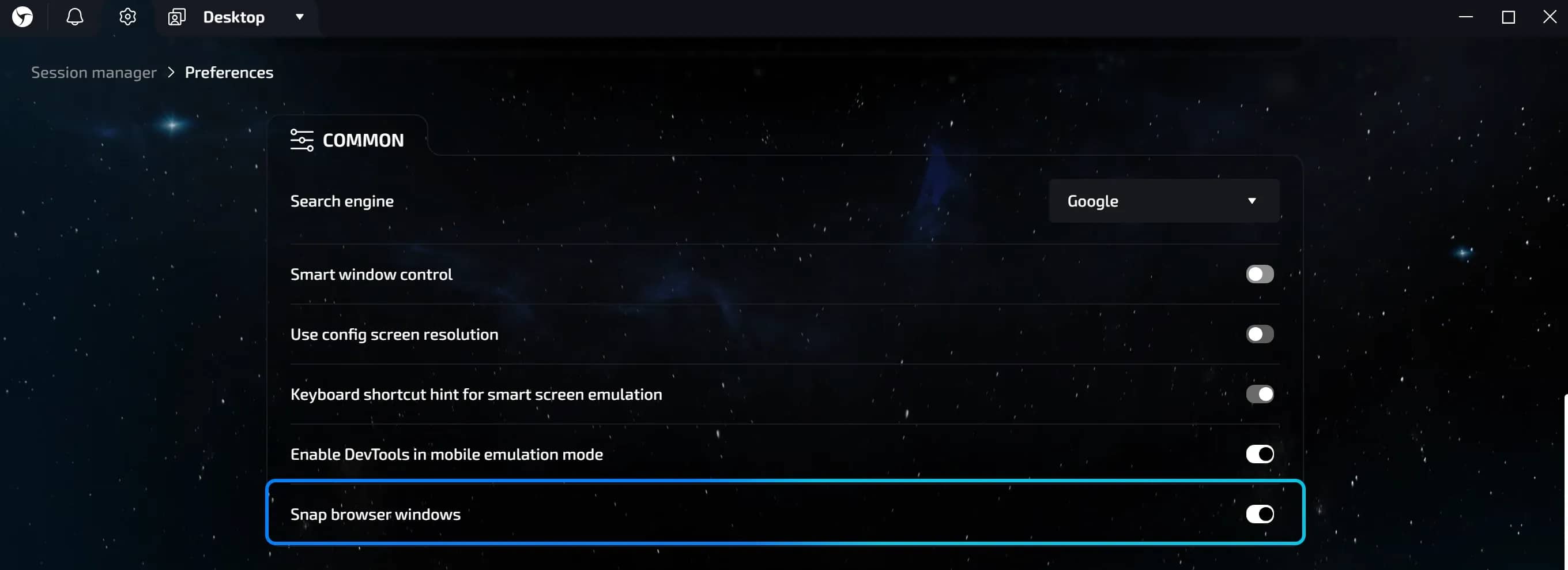
You always retain full control over your workspace. You can manage the Snap feature in the global program settings: click on the gear icon in the upper left corner, go to the Common section, and find the Snap browser windows toggle.
Conclusion
Snap gives you back the time you previously spent arranging windows. Less routine. More focus on tasks. Try it today.
Frequently asked questions
- Yes. After a restart, each session will return to its place — exactly where Snap placed it upon launch.
- There is no manual configuration. Snap automatically selects the optimal layout depending on the number of sessions.
- There are no restrictions from Linken Sphere. The number depends solely on your computer's resources.
- No. Only one positioning algorithm works at a time. You need to disable Smart Window Control to use Snap.

Flagship and Landmark
What is the determining factor in the quality of a product and the right vector for its development? The answer is obvious - when it is copied. Especially when it comes to copying by teams that have dominated the market for several years in a row, being in a completely relaxed state. We have invested a lot of intelligence and attention to detail into the new Linken Sphere. Since the release of the 9th generation, we have all seen how the market has moved. As a rule, we do not focus specific attention on the fact that certain decisions are being snooped on us, because this is inevitable. Most competitors try to implement the copied functionality in a modified form, following the already established architecture and traditions of their own design.

How to Choose the Best Proxies: 5 Quality Parameters
Let's break down 5 key parameters that directly influence proxy quality and successful task completion.

New WebRTC substitution mode in Linken Sphere
In today’s environment, the connection is one of the key factors monitored by anti-fraud systems. That’s why there are many alternative methods of browser proxying: built-in proxy tools, residential VPN configs, specialized routers, 4G hotspots, and other solutions. They all serve one goal — changing the IP address, but their methods differ and require individual setup.